Features

Everything to describe a fonds, nothing superfluous.

Memory Atlas brings together in one window what an ISAD(G) description demands: arrangement, the elements of the standard, context, files, and transfer preparation.

01

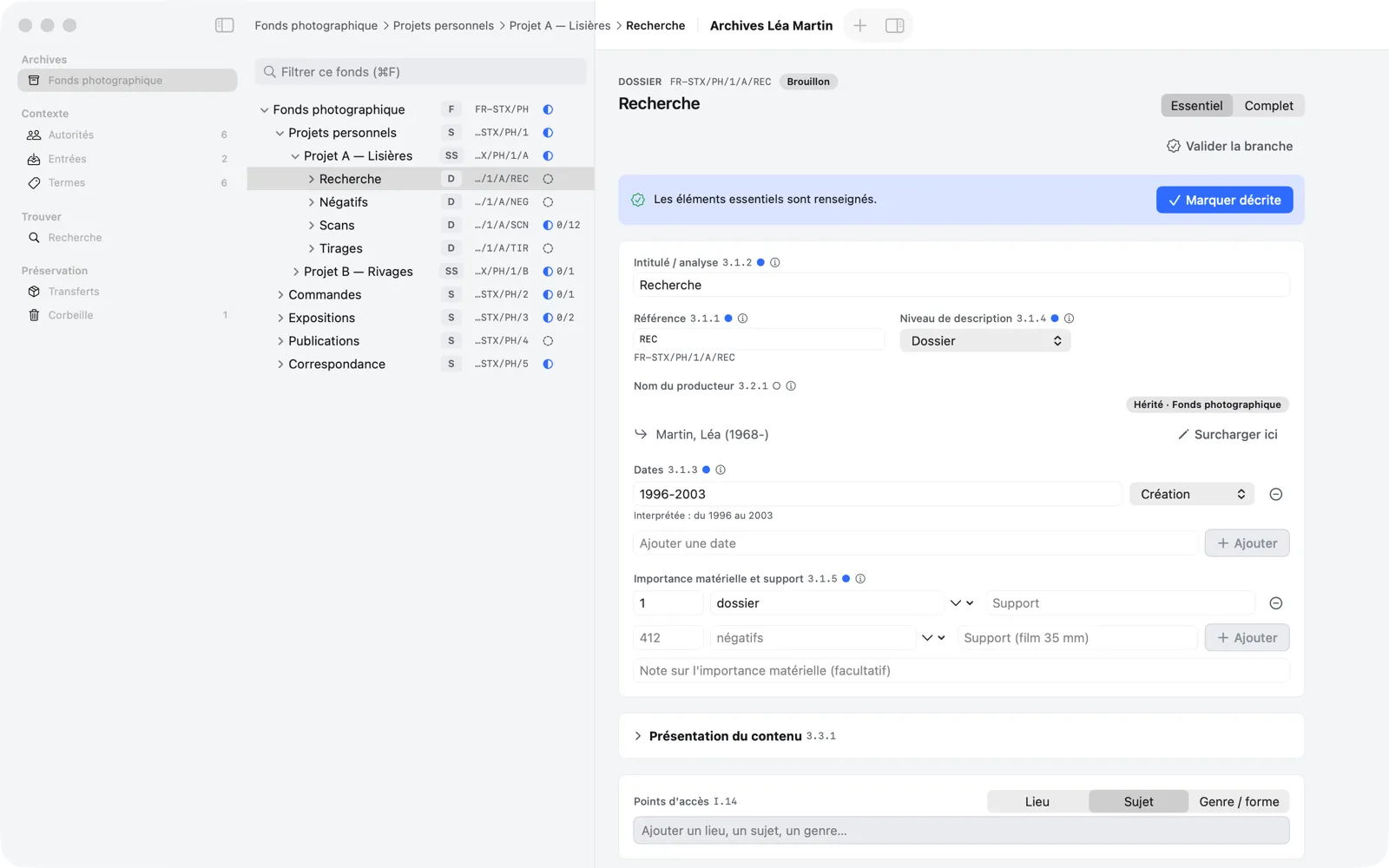
Archival tree

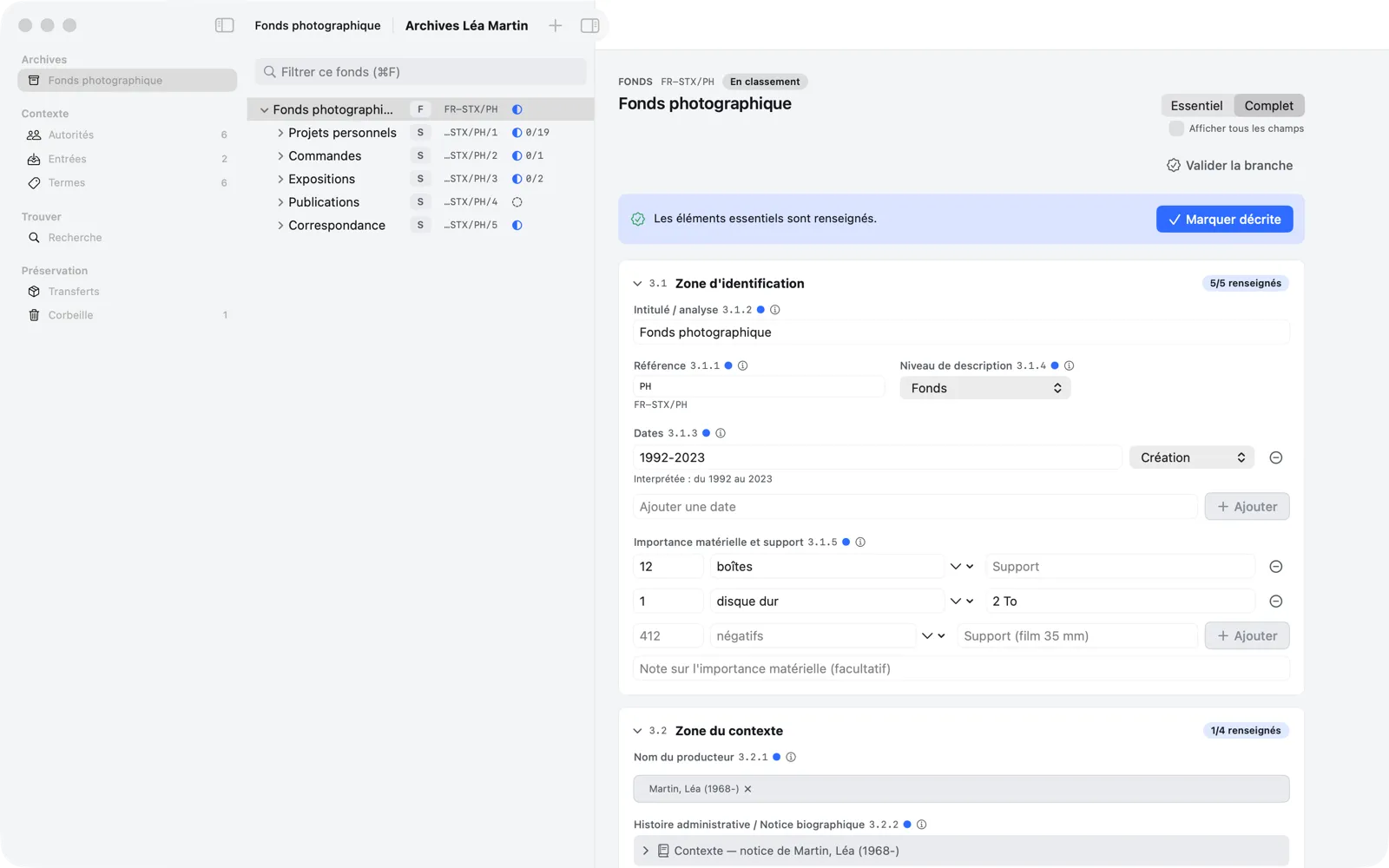
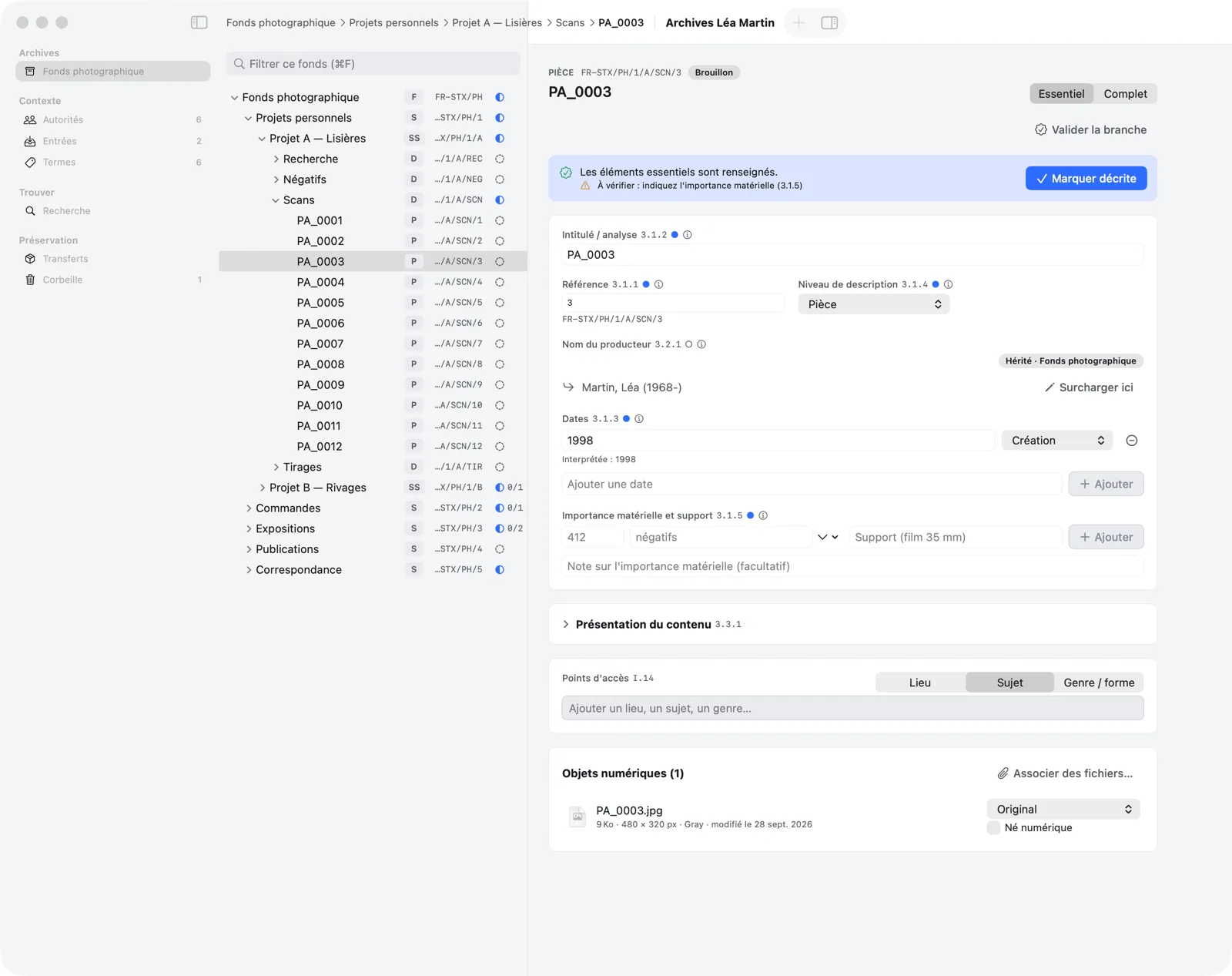
Build the arrangement of a fonds from the general to the specific: fonds, sub-fonds, series, sub-series, files, and items.

  • Reference code composed automatically: FR-STX/PH/1/A/NEG
  • Drag and drop or Move To… from the keyboard (⇧⌘M), tree filter (⌘F)
  • Trash: a branch can be restored, under a new parent if needed
Read the guide chapter
Memory Atlas — Archival tree
Archival tree
02

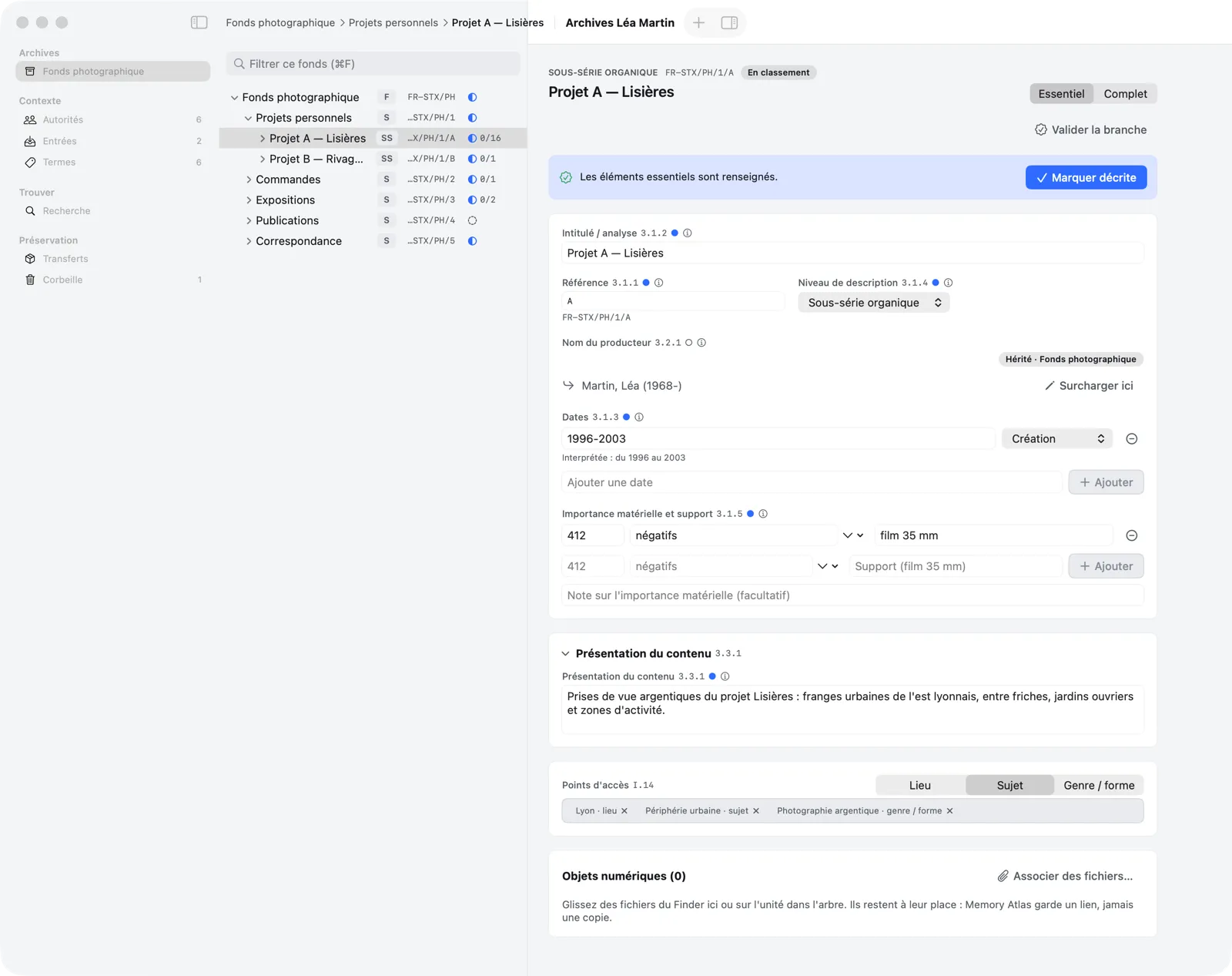
ISAD(G) description

All 26 elements of the standard, in 7 areas. Essential mode shows only 6; Complete mode shows them all (⌘E).

  • Saved automatically, no Save button
  • Free-text dates, interpreted (“1996-2003”, “circa 1950”)
  • Guidance from the standard on every field, elements 3.1.1 to 3.7.3
Read the guide chapter
Memory Atlas — ISAD(G) description
ISAD(G) description
03

Inheritance and context

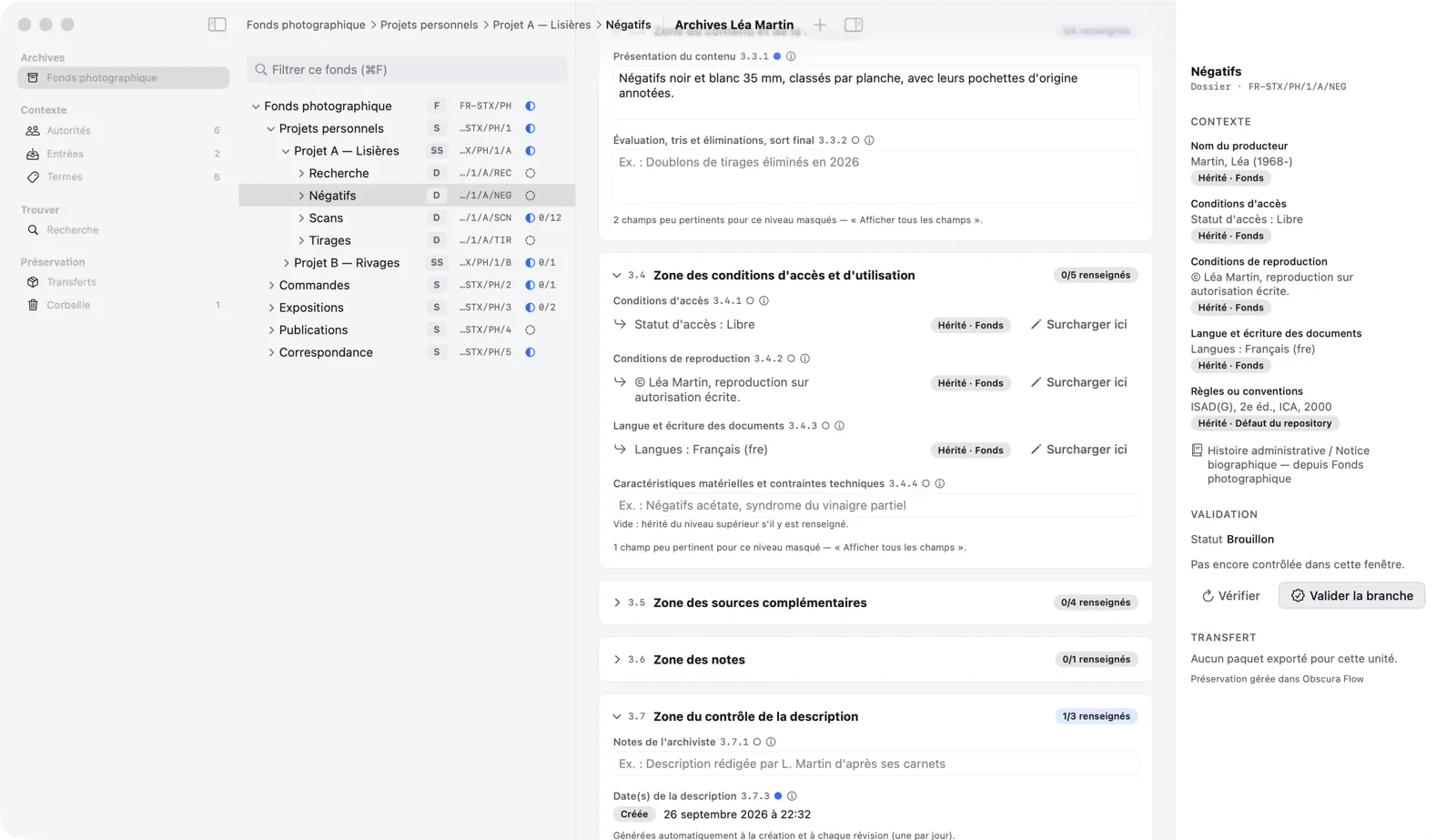
State once, at the right level, what applies to a whole branch: the ISAD(G) rule of non-repetition, applied on screen.

  • Inherited values shown with the level they come from
  • “Override here” for a local exception
  • The inspector sums up the context of the selected unit
Read the guide chapter
Memory Atlas — Inheritance and context
Inheritance and context
04

Authority records

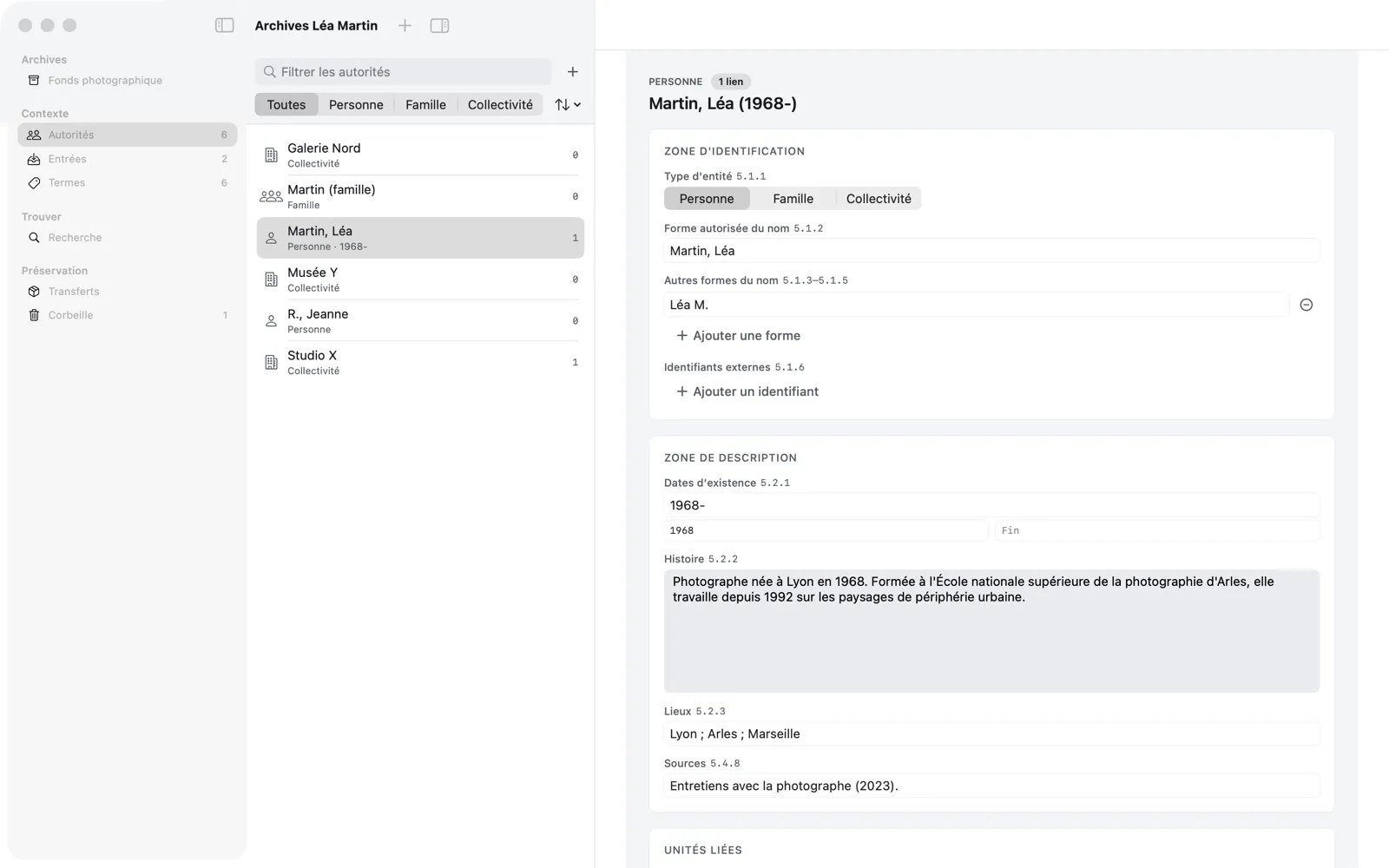
Persons, families, and corporate bodies described once, then linked to units as creators or as subjects.

  • Fields aligned with ISAAR(CPF)
  • Creator inherited by all descendants
  • One authority reused across the repository
Read the guide chapter
Memory Atlas — Authority records
Authority records
05

Terms and access points

A controlled vocabulary of places, subjects, and genres to index descriptions and find them later.

  • Places, subjects, genres and forms
  • Terms shared across the repository
  • Search by access point
Read the guide chapter
Memory Atlas — Terms and access points
Terms and access points
06

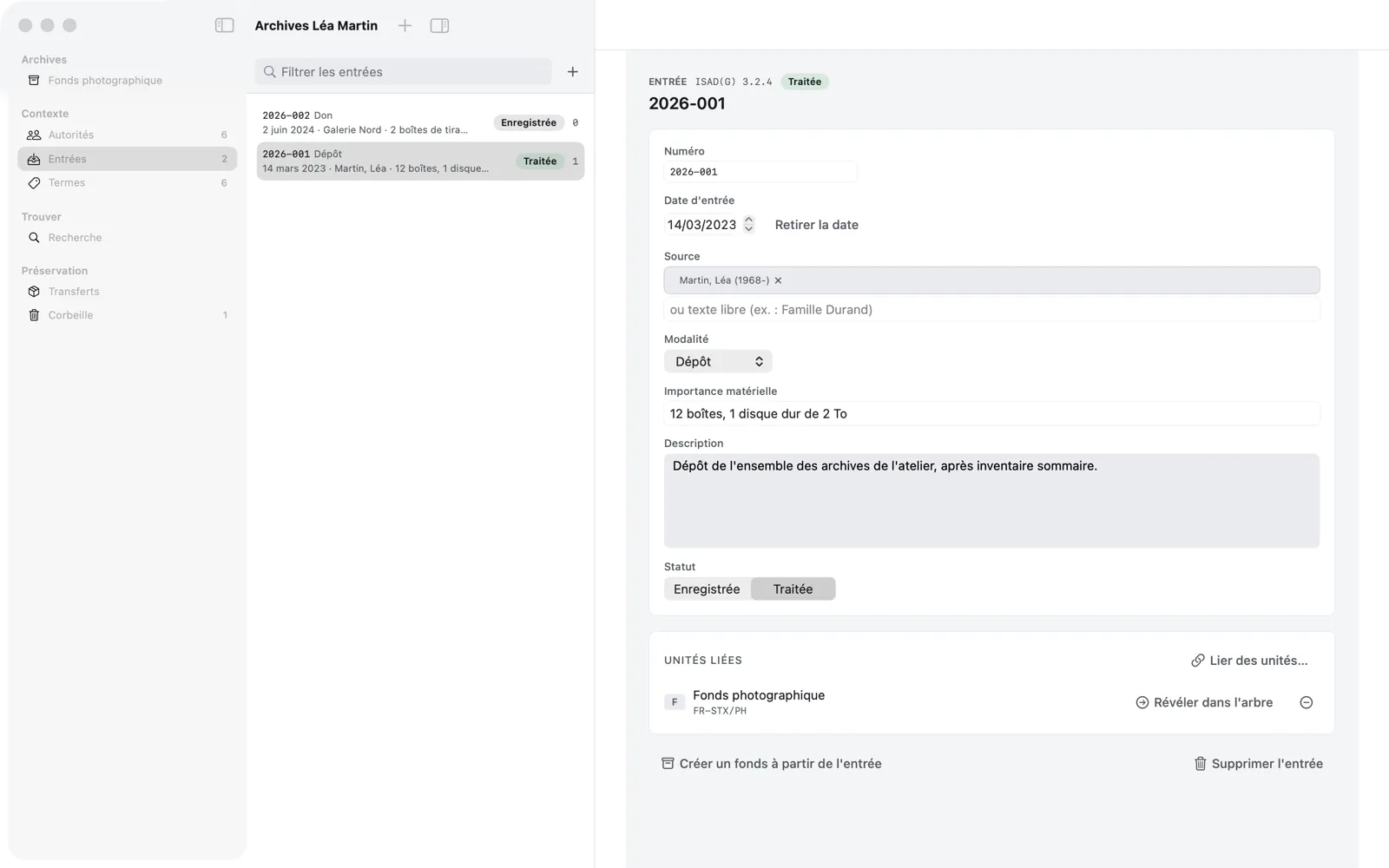
Accession register

Keep track of how records arrived: gift, deposit, purchase, bequest, or transfer, with an accession number.

  • Feeds the immediate source of acquisition (3.2.4)
  • Create a fonds from an accession
  • A purged accession number is never reassigned
Read the guide chapter
Memory Atlas — Accession register
Accession register
07

Digital objects

Attach scans, photographs, PDFs, or sound files to a unit. Memory Atlas keeps a link to each file, never a copy.

  • Drop files from the Finder, one item per file
  • Quick Look preview and header metadata
  • “Born digital” checkbox; “File not found” flagged, then Locate…
Read the guide chapter
Memory Atlas — Digital objects
Digital objects
08

Search and palette

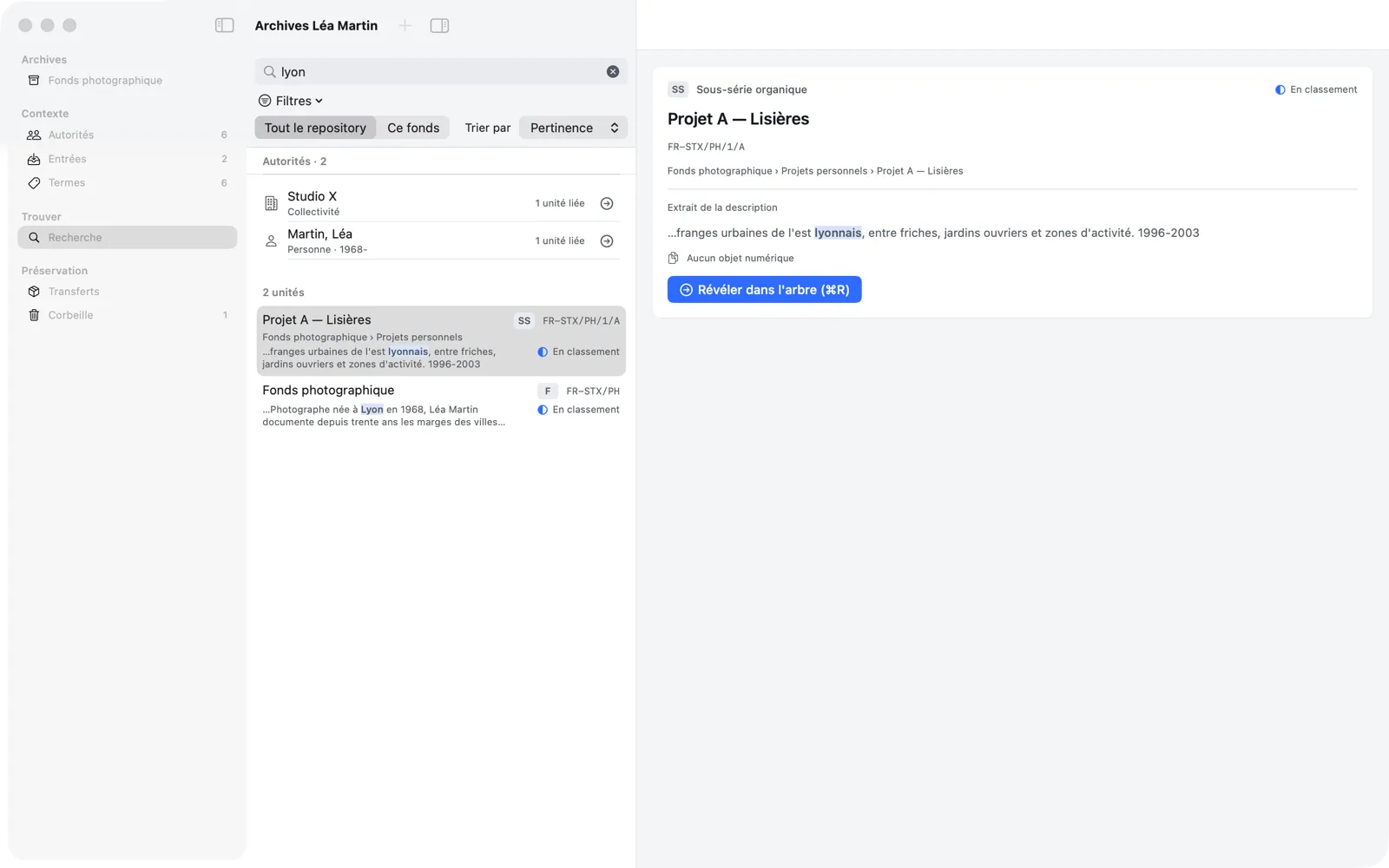
Full-text search across the whole repository, with filters and a breadcrumb on every result, plus a command palette.

  • Global search (⇧⌘F) with filters by level, date, creator…
  • Command palette ⌘K: commands and units
  • Built for repositories of 100,000 units
Read the guide chapter
Memory Atlas — Search and palette
Search and palette
09

Validation

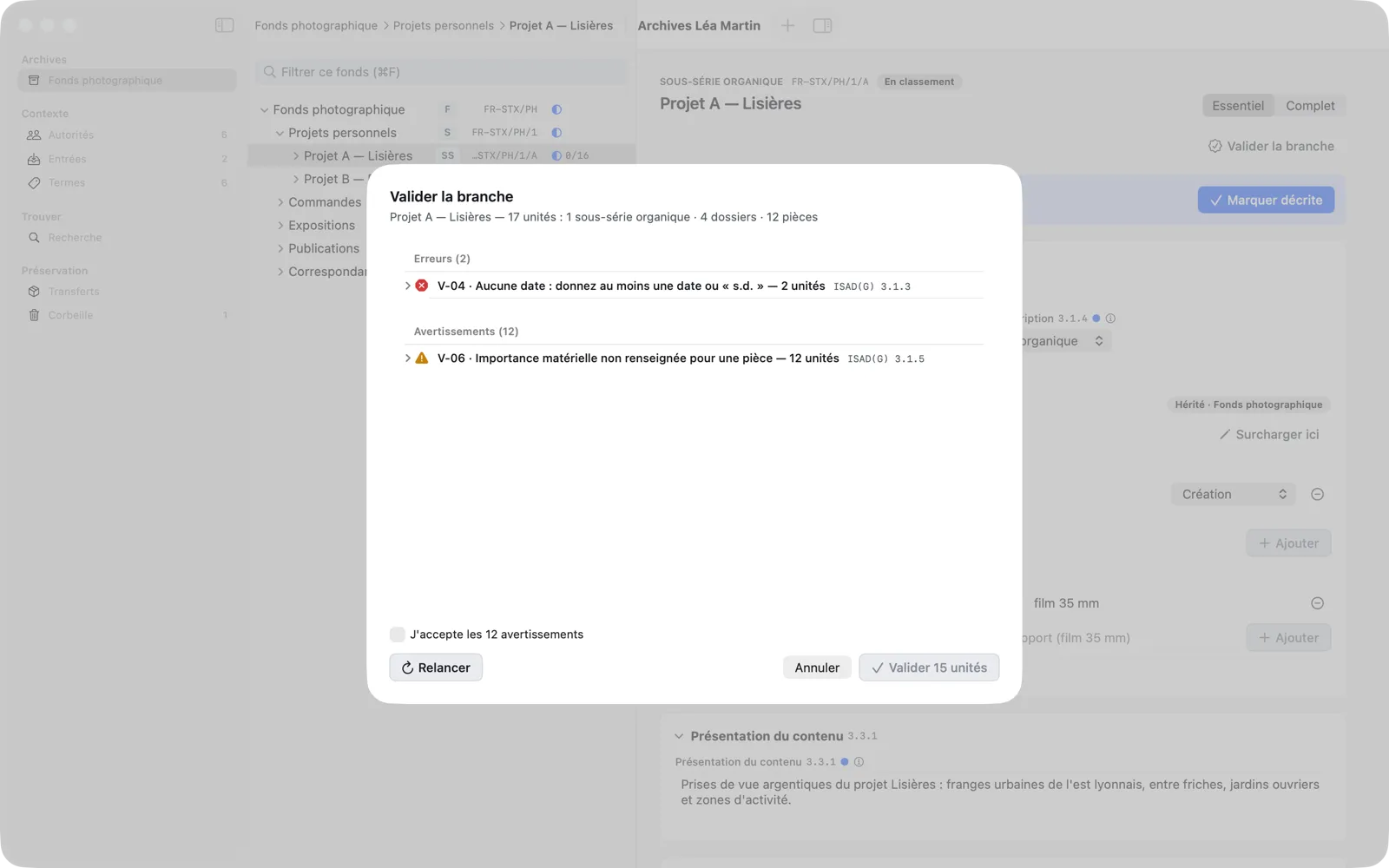
Before handing over, Memory Atlas checks every unit of a branch against fourteen rules, from title to creator.

  • Blocking errors, warnings to accept
  • “Fix” opens the unit on the field at fault
  • A “Validated” event is recorded in each description
Read the guide chapter
Memory Atlas — Validation
Validation
10

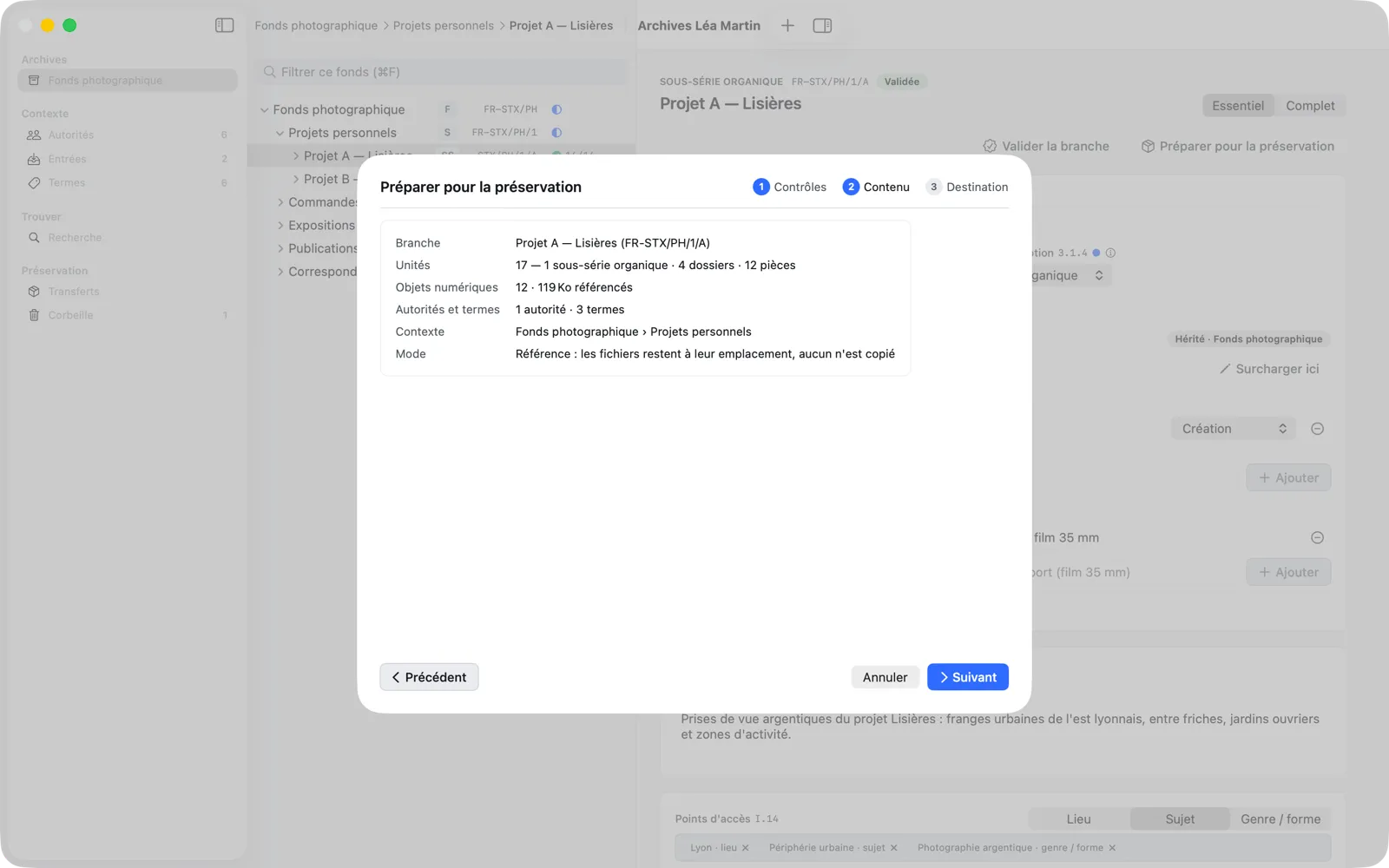
Transfer package

“Prepare for Preservation” exports a validated branch as a documented package, which you import into Obscura Flow.

  • Documented, stable JSON exchange contract
  • Additional transfer checks (P-01 to P-10)
  • Transfer tracking: exported, then delivered
Read the guide chapter
Memory Atlas — Transfer package
Transfer package

Principles

An app that respects your archives.

Local, no account, no changes to your files, and reversible at every step.

100% local

No account, no data sent: the only connection is the update check, which you can turn off. A repository is a file on your Mac.

Your files untouched

Memory Atlas never copies, moves, or modifies a digital file: it keeps a link, and only reads its header.

Everything undoes

⌘Z undoes every change, including moving a branch, a validation, or an export.

Safety copies

A copy of the database each time it opens, then periodically while you edit, a full check every week, and a restore in a few clicks.

Built for volume

Tested on 100,000 units: opening, searching, and moving branches stay instant.

Native and accessible

A real Mac app, in French and English, usable from the keyboard and with VoiceOver.

Next step

Give your archives a description that lasts.

Memory Atlas 0.3 is available on request. Tell us about your fonds and we will send you the app.