Two tools help you find information:
- the tree filter (⌘F), which narrows the tree of the fonds on screen to the units whose title or reference code contains some text (see Building the tree);
- global search (⇧⌘F), which searches the whole repository, description texts included, and is the subject of this chapter.
The Search destination
Click Search in the sidebar (⌘5), or use Edit › Global Search (⇧⌘F) from anywhere. While the field is empty, a reminder shows the syntax:
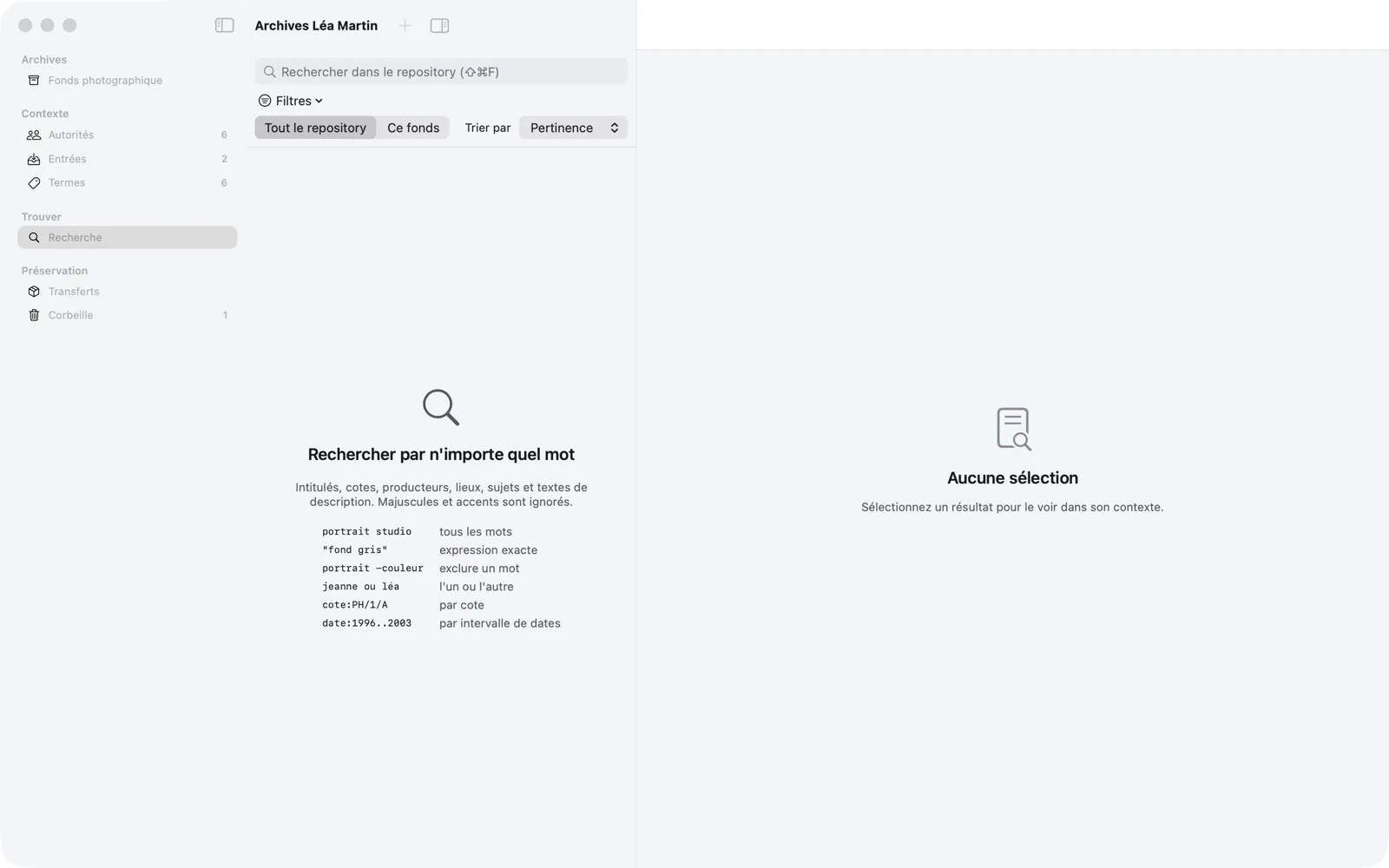
Search covers titles, reference codes, creators, places, subjects and description texts. It ignores case and accents, and matches the beginnings of words.
| You type | Memory Atlas finds |
|---|---|
portrait studio | the units that contain all the words |
"fond gris" | the exact phrase |
portrait -couleur | “portrait” but not “couleur” |
jeanne OR léa | either one (ou also works) |
cote:PH/1/A | by reference code |
date:1996..2003 | the units with a date that overlaps the range |
Reading the results
Léa types “lyon”:
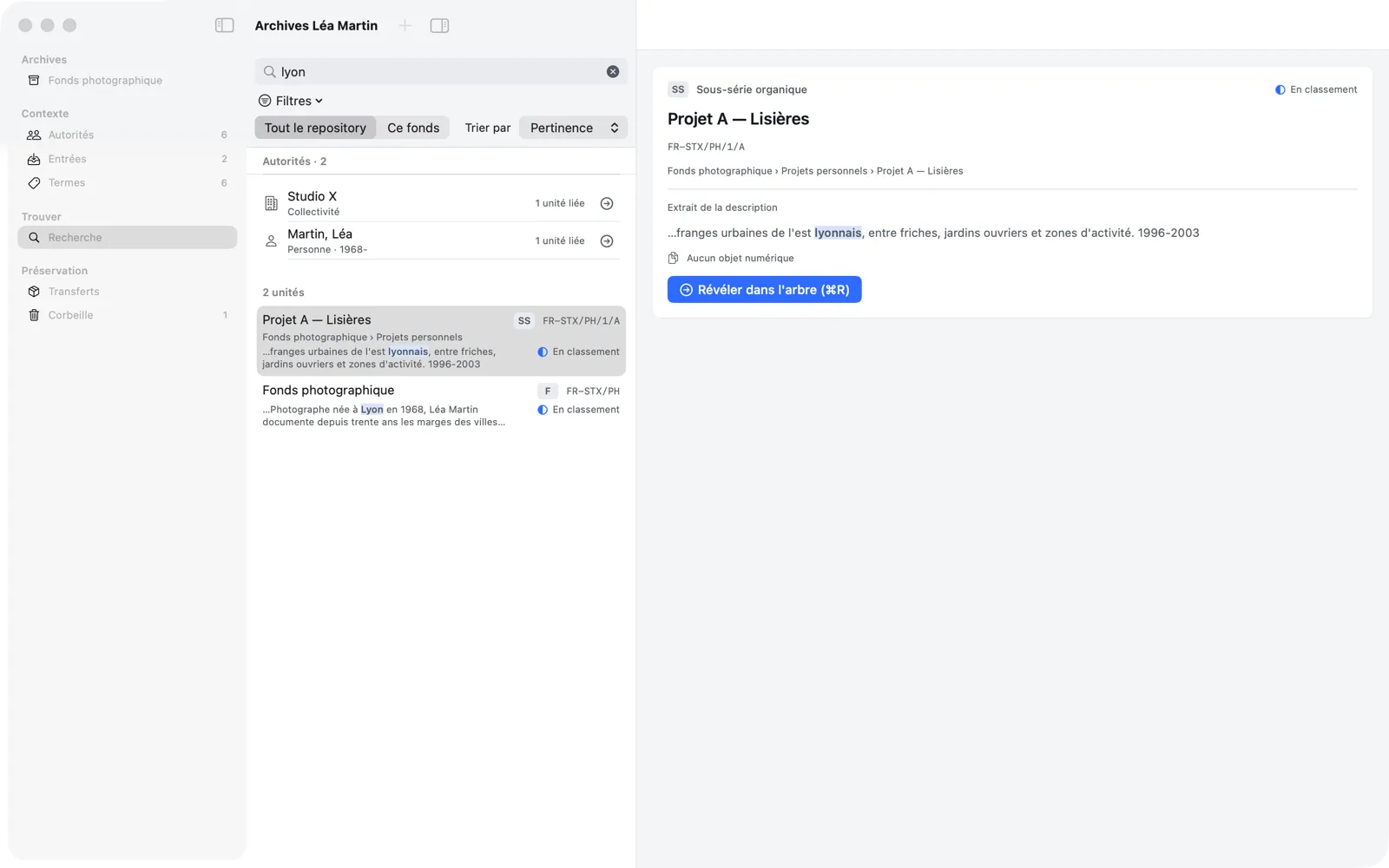
- The Authorities section lists the matching records, with their number of linked units; the button on the right (Open the Record) takes you to the record.
- The list of units gives, for each one, its title, level, reference code, path within the fonds, an excerpt with the matching word highlighted, and its status. A unit modified since its validation is marked Needs revalidation.
- Beyond one page of results, Previous page and Next page appear at the bottom.
Select a result: the right-hand column shows it in context (path, linked authority records, index terms, description excerpt, digital objects). Reveal in Tree (⌘R), a double-click or ↩ selects the unit in its fonds’s tree, with its ancestors expanded.
Refining your search
- Whole repository / This fonds limits the search to the fonds of the selected unit.
- Sort by orders the results by Relevance, Reference code or Date.
- The Filters menu narrows the results by:
- Fonds and Level;
- Dates…: a range (for example from
1996to2003-12); units with at least one date overlapping the range are kept; - Creator;
- Type: genre / form terms, and the type of the associated files (Image file, Video file, Audio file, Document file);
- Digital objects: With objects, Without objects, File not found;
- Workflow: the unit’s status, and Needs revalidation;
- Transfer / preservation: Not transferred, Transfer in progress, Transferred.
Each active filter appears under the field as a tag you remove with a click; Remove All Filters clears them all. When nothing matches, Memory Atlas suggests removing a filter or checking the spelling.
The command palette (⌘K)
The command palette (View › Command Palette…, ⌘K) gives keyboard access to every command in the window and to the units of the repository.
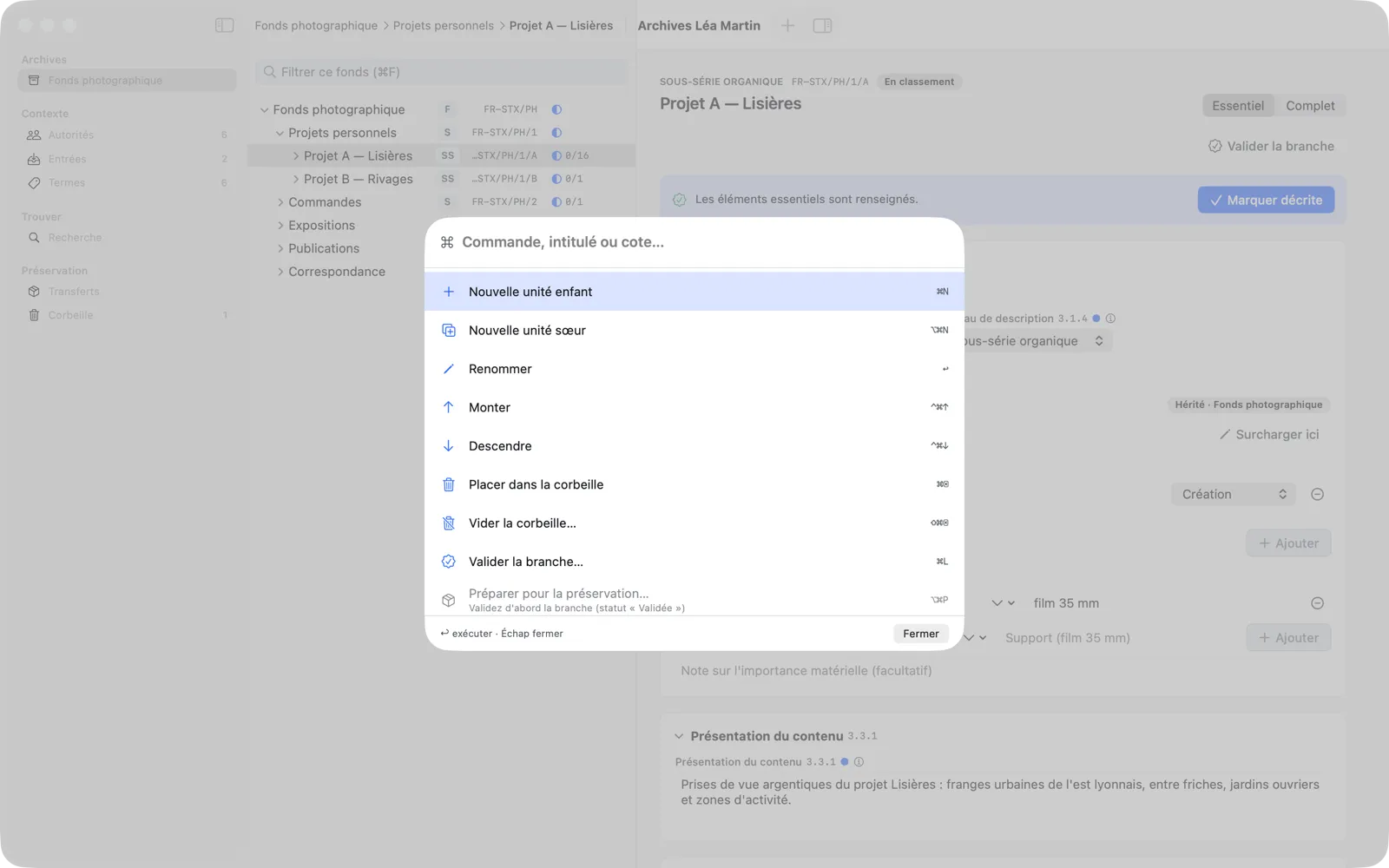
- Type part of the name of a command (“validate”, “trash”…), a title or a reference code.
- Browse the results with ↑ ↓.
- ↩ runs the command or reveals the unit in the tree; Esc closes the palette.
Unavailable commands stay listed, dimmed, with the reason (for example “Validate the branch first (status “Validated”)” for Prepare for Preservation). Each command shows its keyboard shortcut.